
Find and resume sessions
Projects and directories
Section titled “Projects and directories”- Projects lists only the folders you added. It is your everyday list.
- All directories lists every folder where any agent has history, including ones you never added and folders that no longer exist.
Add a folder from its card in All directories (Add project), or choose Add / create project to add an existing folder or create a new one. Removing a project from the list never deletes files, history or running processes.
Search a project’s history
Section titled “Search a project’s history”Open a project, then choose Sessions in the tool bar on the right (or press ⌘⇧F).
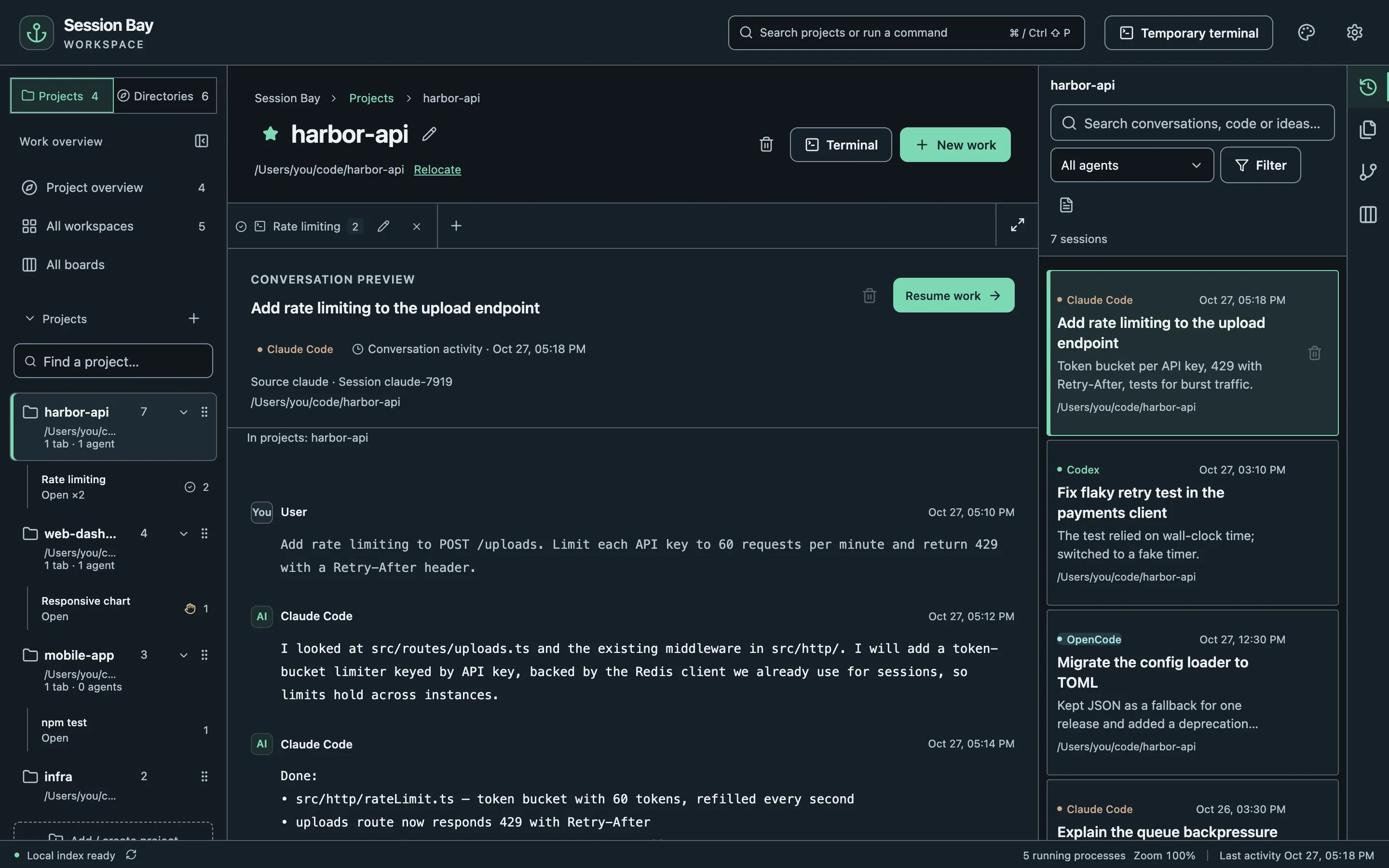
- Search matches any part of a conversation, including Chinese, Japanese and code identifiers.
- All agents narrows the list to one agent; Filter adds a date range, archived sessions and subagents.
- Clicking a session only previews it. Nothing starts until you choose Resume work.
To search every folder at once, go to All directories and choose Search all sessions.
Claude Code sessions use Claude Code’s own generated title when available. A custom title from Claude Code takes priority; the first meaningful prompt is a fallback when no title is available.
Resume
Section titled “Resume”Resume work starts the original agent in the session’s working directory, for example claude --resume <id>. The agent uses its own login and permissions.
If a project moved, choose Relocate next to its path. The original history is not rewritten; Session Bay only starts new processes in the new location.
Quick open
Section titled “Quick open”Press ⌘⇧P to open the command palette and jump to any project, tab, session or file.